

Getting Started
Sharing your Feedlo Page

Hey there! 👋
Now that your Feedlo page is live and looking great, it's time to get it in front of your users. Whether you want to send a direct link, use a QR code, or embed it into your site, we've got you covered.
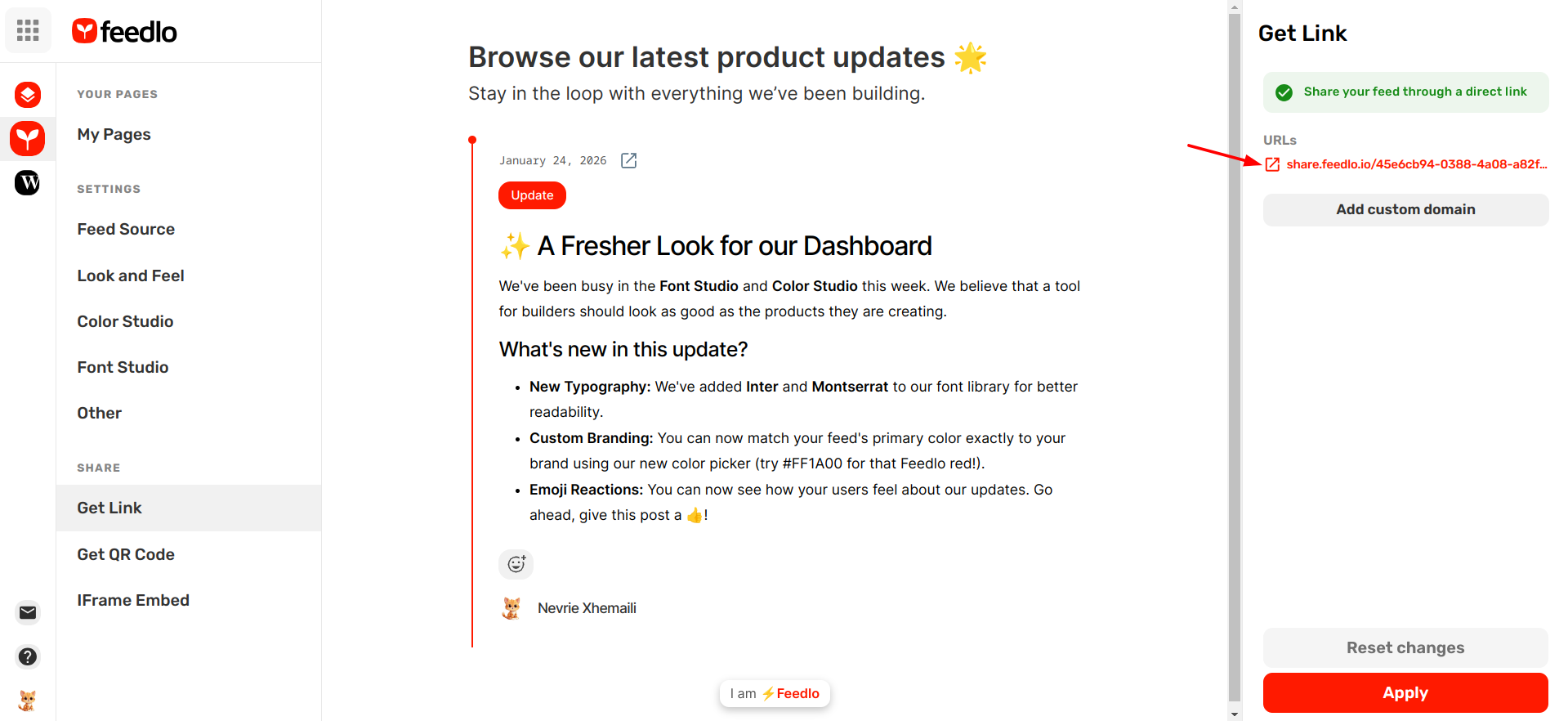
1. Share via Direct Link
The simplest way to share your journey is with your unique Feedlo URL.
- Head over to the Get Link page in your dashboard.
- Copy the url and drop it in your email newsletters, social media bios, or your website's navigation.
Pro Tip: If you are on a Pro or Ultra plan, you can set up a Custom Domain here to host your updates on your own branded URL (like updates.yourbrand.com).
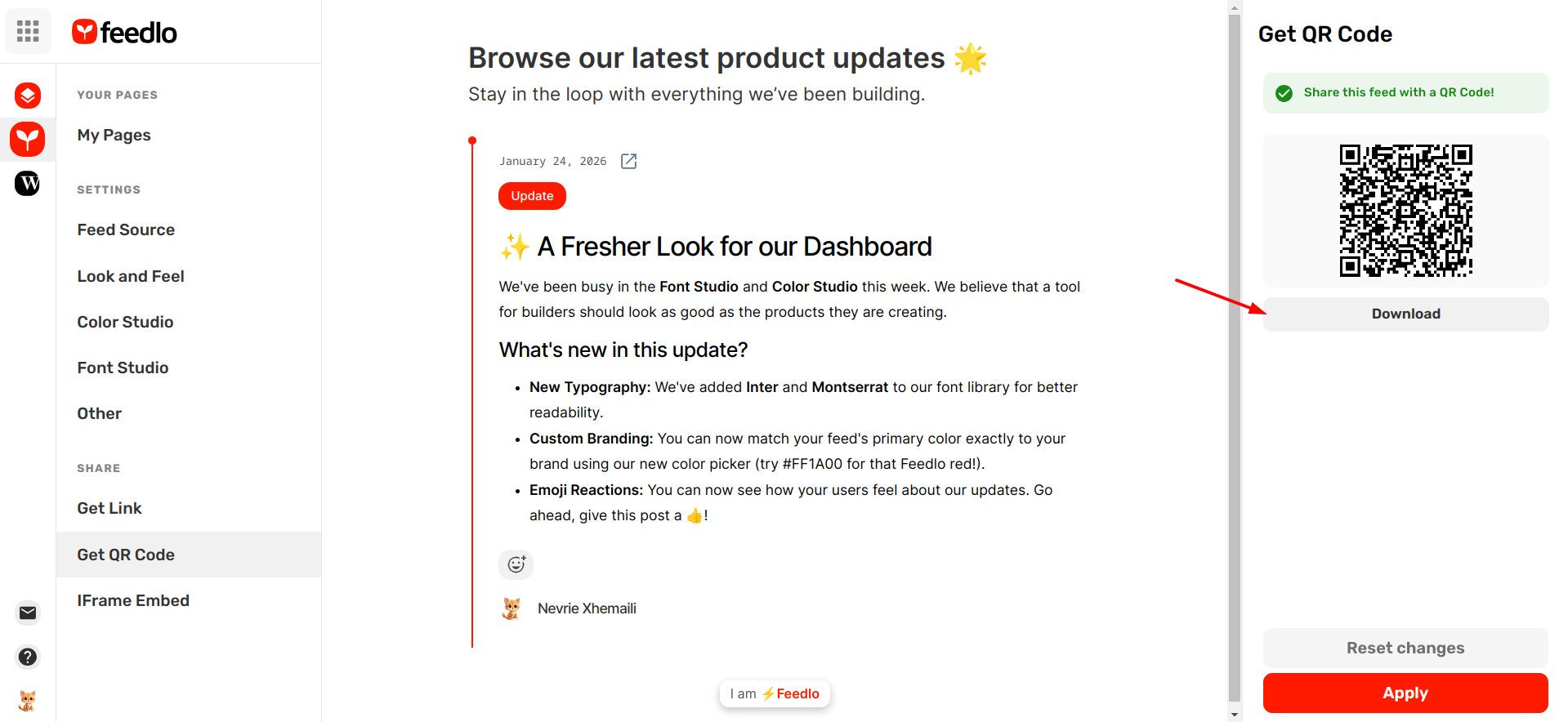
2. Generate a QR Code
Bridge the gap between your physical product and your digital updates using a QR code.
- Head over to the Get QR Code page.
- Download your unique QR code as an image.
- Place this code on your packaging, business cards, or event posters to let users scan and see what's new instantly.
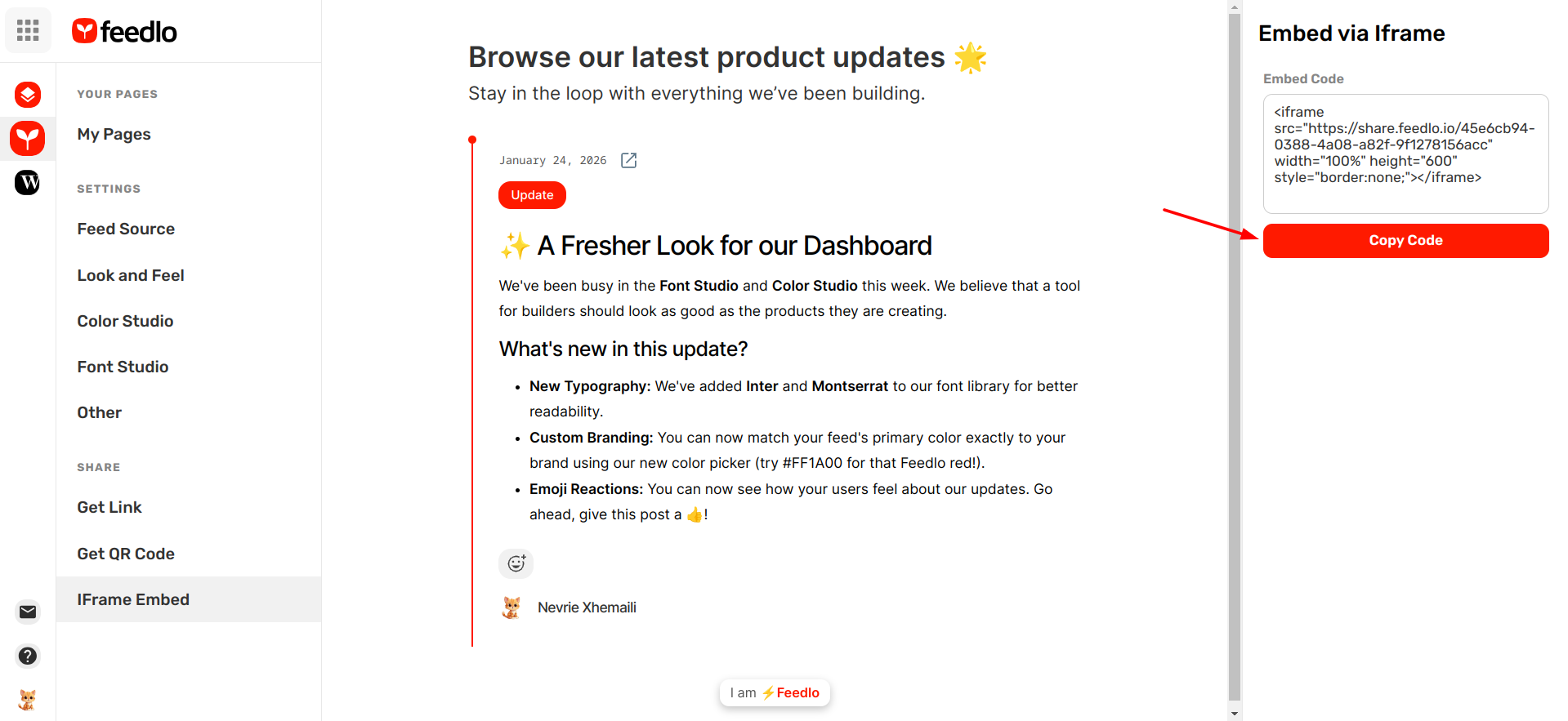
3. Embed using an Iframe
If you want your updates to live directly inside your existing app or website, use our Iframe embed.
- Head over to the IFrame Embed page.
- Copy the code snippet provided.
- Paste it into your website’s HTML exactly where you want the feed to appear.
The iframe is fully responsive and will automatically adjust to look perfect on any screen size.
Which method is right for me?
- Direct Link: Best for newsletters and social media.
- QR Code: Perfect for physical products or in-person marketing.
- Iframe: Ideal for keeping users on your site while they browse your updates.
And that’s it! 🍰 If you have any questions about sharing your page, reach out to us at hi@answerly.io.
Happy sharing! 🚀